
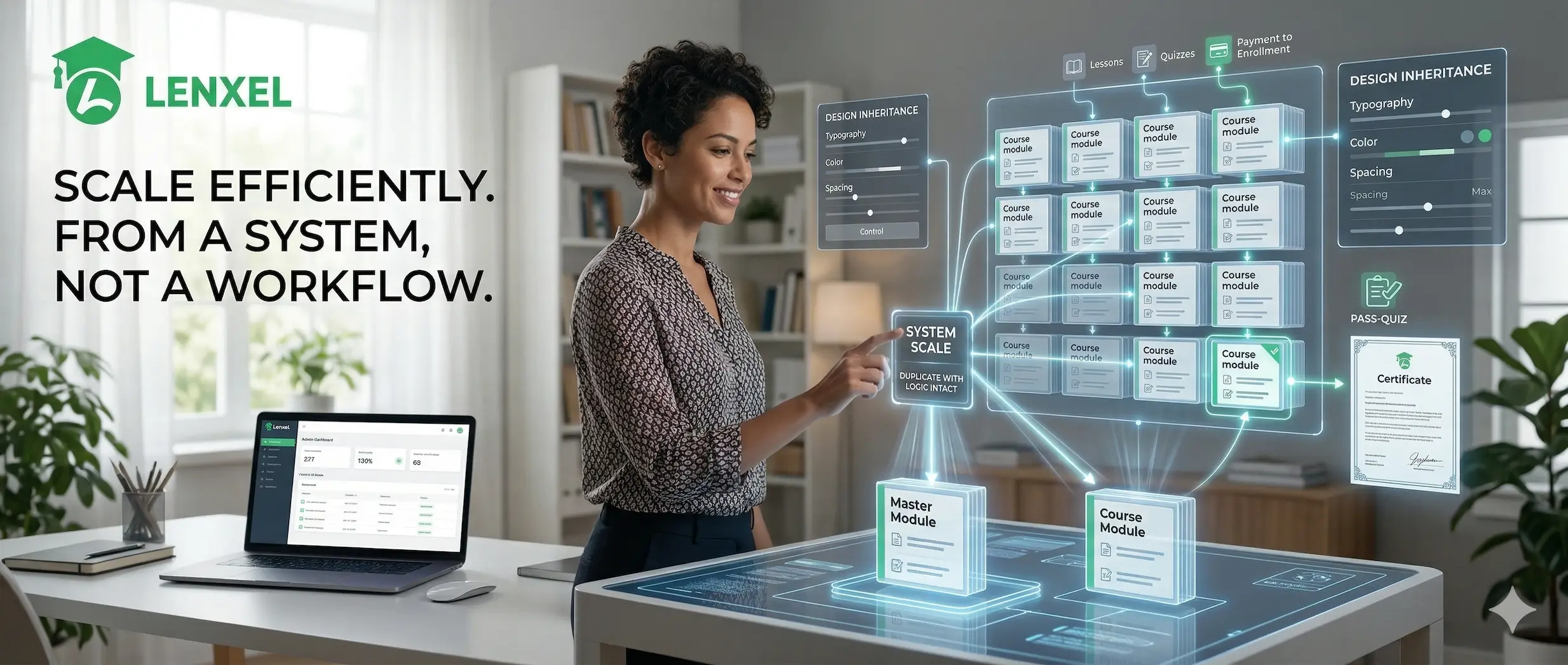
Every course added to a WordPress LMS site should build on what already exists, not repeat the same setup from zero. When a catalog grows, recreating sections, lessons, pricing, and design for each new addition quickly becomes a maintenance burden with no ceiling. The developers who scale efficiently use a system from day one rather than a workflow. Here is how Lenxel scales a WordPress LMS without recreating every course:
- One-click course cloning with payment logic intact
- Platform-wide design inheritance from a single admin panel
- A unified learner dashboard that holds up at any catalog size
- Automated certificate delivery that requires no manual step per learner
Duplicate Any Course in One Action
Lenxel’s course duplication performs a deep clone. Every section, every lesson, and the linked WooCommerce product carry over in full when you duplicate a course. The enrollment trigger connected to that product stays intact on the duplicate. A learner who purchases the cloned course gets enrolled automatically, the same way they would on the original.
This removes the riskiest moment in catalog expansion: reconnecting payments to a new course and discovering the enrollment logic did not follow. With Lenxel, it follows by default. Clone, rename, update the content, and the payment-to-enrollment connection is already in place.

Configure the Platform Once, Not Per Course
Lenxel centralizes every platform-wide design decision in a single admin panel. Typography, color scheme, and spacing are set there once during initial setup. From that point, every course page, dashboard view, and catalog page inherits those choices automatically. Nothing is applied per-course unless an intentional override is made.
When a new course enters the catalog, it arrives styled and structured without extra effort. The developer does not revisit the design system for each addition. The person managing the platform after launch does not need to raise a style request each time a new course goes live. One configuration decision holds across the full catalog from the moment it is applied.

Give Learners One Place for Everything
When a new course enters the catalog, it arrives styled and structured without extra effort. The developer does not revisit the design system for each addition. The person managing the platform after launch does not need to raise a style request each time a new course goes live. One configuration decision holds across the full catalog from the moment it is applied.
- Enrolled courses
- Quiz attempts
- Purchase history
- Notifications
- Q&A threads
- Wishlist
- Account settings
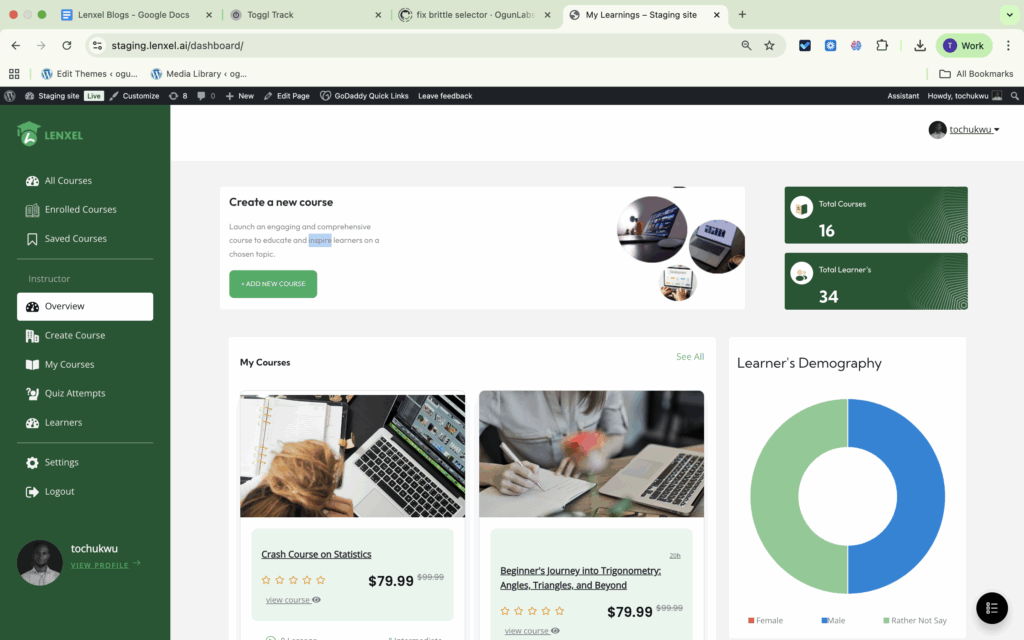
A learner with three enrollments sees all three in the same place. A learner with fifteen sees all fifteen. The experience does not degrade with catalog size. And because the dashboard is fully themed through Lenxel, it matches the rest of the platform rather than defaulting to a generic plugin interface as the catalog grows.
Automate Completion at Any Scale
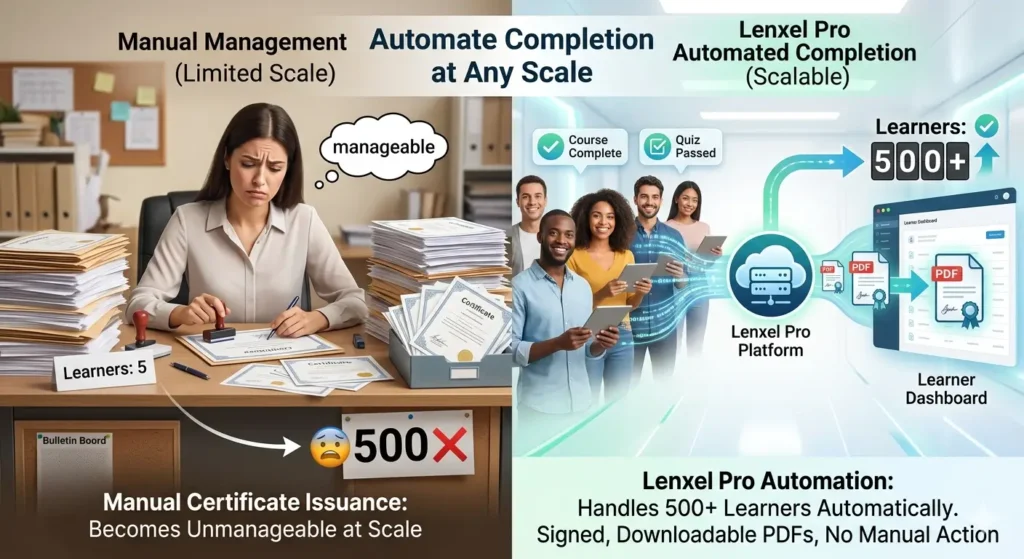
Manual certificate issuance becomes unmanageable at scale. When five learners complete a course, it is workable. When five hundred do, it is not. Lenxel’s certificate feature, available on the Pro plan, handles this automatically. When a learner completes a course and meets the required quiz pass rate, the platform generates a signed, downloadable PDF certificate without any manual action.
No per-course configuration is needed after initial setup. Scale the catalog and the completion workflow scales with it, without additional overhead on the development or management side.
Conclusion
A WordPress LMS that scales is built around systems, not one-off configurations. Course duplication, centralized design settings, a unified learner dashboard, and automated certificate delivery remove the manual overhead that compounds with every new course added. Lenxel has all four built in and connected by default. Set it up once, clone what you need, and let the platform manage what follows. Start building your professional scalable WordPress LMS for free today.
FAQ
How does course duplication work on a Lenxel WordPress LMS site?
Lenxel clones a course in one action and carries over all sections, lessons, and the linked WooCommerce product. The enrollment trigger stays intact on the duplicate, so the payment-to-enrollment flow does not need to be rebuilt for each new course added.
Do new courses inherit the global design settings in Lenxel automatically?
Yes. Lenxel’s admin panel is where platform-wide typography, color, and spacing are configured. When a new course is created, it inherits those settings by default. No per-course design adjustment is needed unless a specific override is required.
How does the student dashboard keep up as the course catalog grows?
Lenxel’s student dashboard puts all enrolled courses, purchase history, quiz attempts, and notifications in one authenticated session. The experience is consistent for a learner with two enrollments or twenty. The dashboard remains fully themed by Lenxel.
Does certificate generation stay automated as more learners complete courses?
Yes, on the Pro plan. Lenxel validates each learner’s completion status and quiz pass rate, then generates a signed, downloadable PDF certificate automatically. No manual step is needed per learner, regardless of catalog size or completion volume.